
You can modify PHP Memory Limit as per your needs using CloudLinux PHP Selector in Plesk.
1. Log in to your Plesk account.
2. In the right-hand sidebar, click on PHP Selector.

3. Under the Account Global Settings, go to the Options tab.
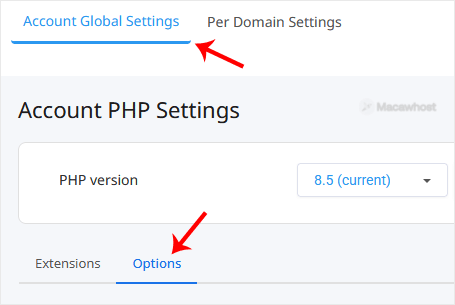
Note: If it shows an error related to the Native PHP version, change to a non-Native PHP version first.
4. Look for memory_limit and click on the drop-down option displayed in front of it. Then choose the appropriate limit as per your requirements.
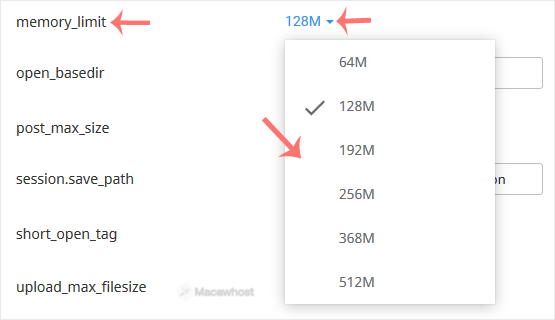
A message will appear stating that the memory limit has been modified.